Metaverse is an app teachers and students can use to create augmented reality experiences for others. These would be similar to a Poke-mon Go like experience in the classroom, integrating content and increasing student engagement, especially if they can eventually create their own and share.
I recently used Metaverse as a “check for understanding” tool following my Digital Citizenship lesson for ninth graders. As a part of the lesson I showed a clip of The Ellen Show. I was able to create a Metaverse experience with a .gif of Ellen asking the kids a multiple choice question as a check for understanding on their way out. It was a novelty to keep with the theme, but was a way to keep engagement and a quick assessment of learning. Students were asked to use their personal devices to scan the QR code; they always enjoy being allowed to use their devices in class.
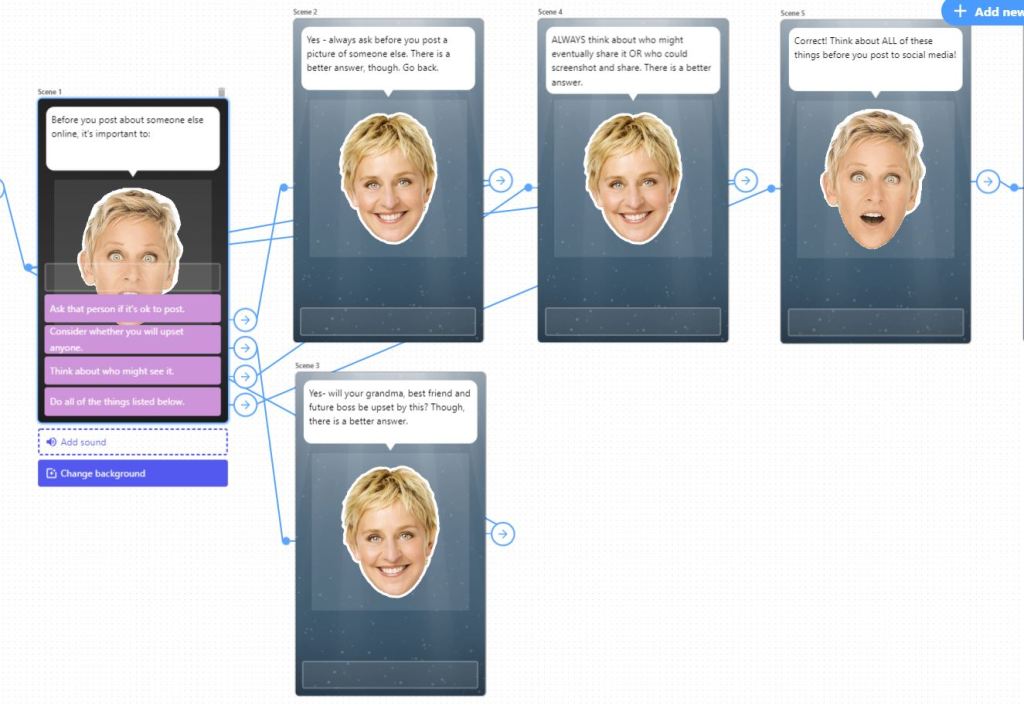
The downside, however, is that you would need to spend class time asking students to download the Metaverse app. This would require data and would require all students to have a device. This app is downloaded on our school’s ipads. An entire lesson, or scavenger hunt type activity, could be built on Metaverse and then the ipads could be used individually or in partners. Any device with a QR code reader would suffice. This would engage kinesthetic learners as well, as movement to find QR codes to scan adds an element that is a need for many kids sitting in desks for the majority of instruction.
The workspace is pretty easy to understand and navigate once you’ve spent some time in it. I took a 60 minute PD and was able to create content during that time.
Overall, I recommend that all educators spend time getting to know the capabilities of Metaverse. There are numerous ways it can be used in the classroom to support learning and engage students.
 A. Charland LIS 568